A day planner that doesn't keep score.

For iPhone. Tasks, lists, routines and reminders beside your calendar. No streaks, no overdue, nothing red.
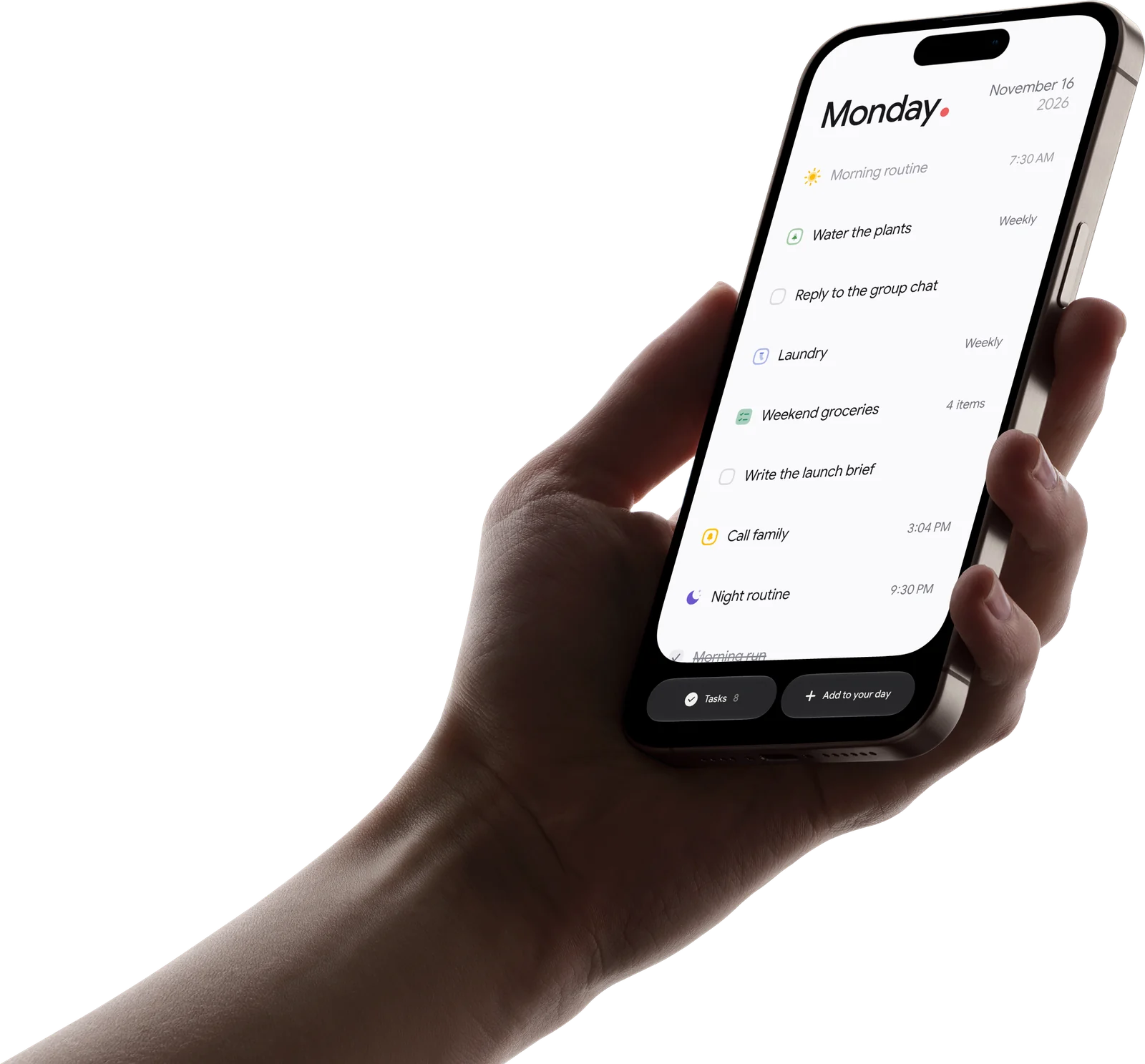
systms on an iPhone, held in a hand: Monday, with a morning routine, plants to water, a group chat to reply to, laundry, groceries, a call and the night routine.

Today

Your whole day, in one place.

Your calendar, your tasks and every reminder: three pages, one swipe apart.

The Calendar page: the day as a timeline, a yoga class happening now, then a call, coffee with a friend and the night routine.
The Tasks page: Monday 16 November, the routines, tasks, lists and reminders of the day in order.
The Reminders page: every reminder and nudge still to come, today and recurring.

Take a closer look

Tap through a day.

Each one plays in the phone.

Add it in a sentence.

Write "Dentist tomorrow 3pm" and the day and the nudge are set. A title you have used before comes back with its repeat.

TaskListReminder

Plan the weekend

TemplatesTodayRepeatNudge

Most planners keep score. The streak you broke. The red badge waiting at 7am. Yesterday, still counting. systms doesn't. Whatever you didn't finish waits without a mark against it, and moves to today only if you ask it to.

The small things, done properly.

Weekend groceries

Saturday

Oat milk
Lemons
Bread
Coffee beans

Lists. Groceries for Saturday, with its items, on the day you need it.

Monday

Two tasks for Tuesday's review

Prepare the slides

Design review, Tuesday

Book the room

Design review, Tuesday

Tasks for your meetings. Prepare the slides for Tuesday. If the meeting moves, the task moves with it.

s.FocusDistractions are napping

Write the launch brief

12:41

On your Lock Screen. Pin one task, or run a timer or focus, and see it without opening the app.

Monday, November 16systms.

Good morning

Today brings 2 events, 4 tasks and 1 reminder.

Widgets. Your day on the Home Screen, and one tap to add to it.

Carry Over

Unfinished tasks move to today

Reply to the group chatfrom Sunday

Carry-over, only if you ask. Unfinished tasks wait without a mark. Switch it on and they move to today.

iCloud Backup

Your own iCloud, which we cannot read

iCloud Backup. A copy in your own private iCloud, which we cannot read. Off until you switch it on.

One subscription. Every feature.

Monthly or annual. Everything in the app is in it, and the first week is on us.

7 days free

then the plan you choose, monthly or annual, at the price your App Store shows

  • Tasks, lists and reminders
  • Routines
  • Focus mode and timers
  • Real alarms
  • Your Lock Screen
  • Tasks for your meetings
  • Your calendars, side by side
  • Widgets
  • iCloud Backup

No account to make. Nothing leaves your phone. Cancel anytime in Settings, and if you stop, your tasks stay.

Coming soon toApp Store

Before you ask.

Is there a free trial?

Yes. New subscribers get 7 days free with every feature, and the App Store shows the price before you pay.

Do I need an account?

No. There is no sign-up and no systms account. Open the app and plan your day.

Where are my tasks kept?

On your iPhone. Turn on iCloud Backup and a copy goes to your own private iCloud, which we cannot read. There are no ads, no analytics and no tracking.

Does it change my calendar?

Never. systms reads the calendars you choose, on your phone, and shows them beside your tasks.

Will it nag me?

No. Nothing counts streaks or missed days, and unfinished tasks move to today only if you switch carry-over on.

What if I stop subscribing?

Your tasks stay on your phone. Reminders, alarms and focus pause until you renew.

Is there an Android version?

Not yet. systms is built for iPhone, on Apple's own alarms, calendar and Lock Screen.

A day planner that doesn't keep score.

Coming soon toApp Store